





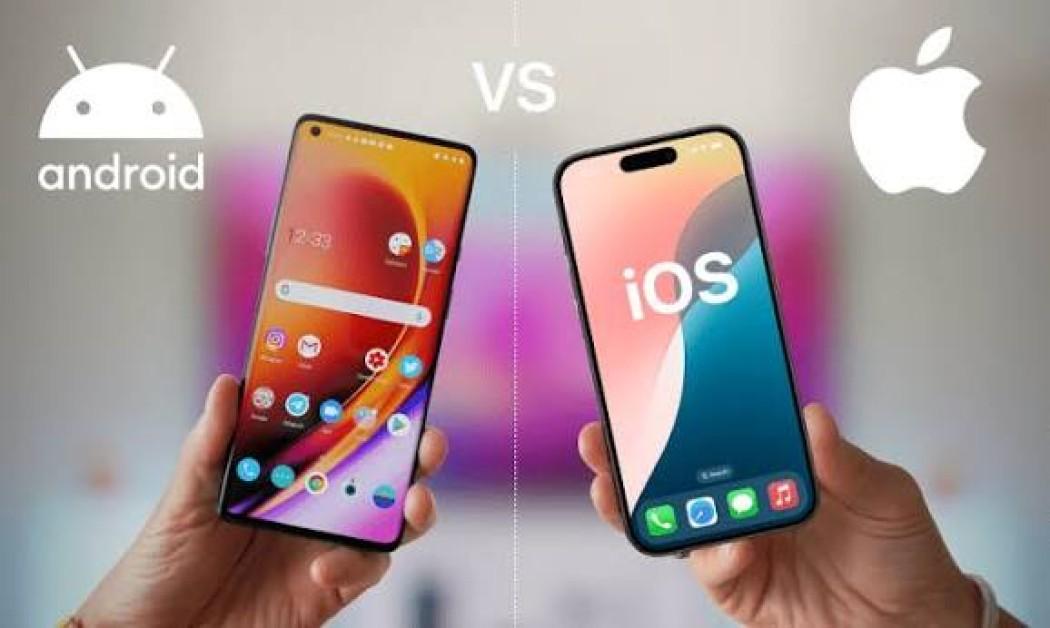
iOS vs Android Explained: What's the Difference?
When buying a smartphone, one of the biggest decisions is choosing between iOS and Android. These are the world's two most popular mobile operating systems, powering billions of smartphones and tablets. While both allow users to browse the internet, run apps, take photos, play games, and stay connected, they differ in design philosophy, customization, hardware options, software updates, and ecosystem integration.
Understanding these differences can help you choose the platform that best suits your needs.
What Is iOS?

iOS is Apple's mobile operating system, designed exclusively for Apple devices such as the iPhone. Apple develops both the hardware and software, allowing it to tightly integrate the operating system with its devices.
This controlled approach helps deliver a consistent user experience and long-term software support.
What Is Android?
Android is Google's mobile operating system, available to many smartphone manufacturers, including Samsung, Google, Xiaomi, OnePlus, Motorola, Oppo, Vivo, and others.
Because multiple companies produce Android devices, users can choose from a wide range of designs, specifications, and price points.
iOS vs Android: Key Differences
| Feature | iOS | Android |
|---|---|---|
| Developer | Apple | Google (Open Source Core) |
| Device Availability | Apple devices only | Many manufacturers |
| Customization | Limited but polished | Extensive customization options |
| App Store | Apple App Store | Google Play Store and other supported app stores |
| Software Updates | Directly from Apple for supported devices | Vary by manufacturer and device model |
| Hardware Choices | Limited product lineup | Wide range of devices and prices |
| Default Apps | Mostly Apple ecosystem | Google ecosystem with more flexibility for choosing defaults in many cases |
| Integration | Strong integration with Apple devices and services | Broad integration with Google services and a diverse hardware ecosystem |
How iOS Works
Apple controls the entire iOS ecosystem.
Step 1: Hardware and Software Integration
Apple designs both the iPhone hardware and the iOS operating system to work together.
Step 2: App Installation
Applications are primarily downloaded through the Apple App Store, where they undergo Apple's review process before being made available.
Step 3: Software Updates
Apple releases software updates directly to supported devices, allowing many users to receive new features and security patches at the same time.
Step 4: Ecosystem Integration
iPhones integrate with other Apple products such as Macs, iPads, Apple Watches, and AirPods through shared services and features.
How Android Works
Android offers greater hardware diversity.
Step 1: Device Manufacturing
Multiple manufacturers build Android smartphones with different designs, processors, cameras, and features.
Step 2: Software Customization
Manufacturers often customize Android with their own user interfaces, applications, and features.
Step 3: App Installation
Most apps are installed from the Google Play Store, though some devices also support additional app stores or approved installation methods, depending on device settings and regional policies.
Step 4: Software Updates
Operating system and security updates are generally delivered through the device manufacturer and mobile carrier (where applicable), so timing can vary by device.
Advantages of iOS
iOS offers several benefits.
Seamless Ecosystem
Works smoothly with other Apple devices and services.
Consistent User Experience
Apple controls hardware and software, resulting in a uniform interface across supported devices.
Long-Term Software Support
Many iPhones receive operating system updates for several years.
Strong Privacy Features
Apple provides privacy-focused features such as app permission controls, tracking transparency options, and on-device processing for some tasks.
Optimized Performance
Tight hardware and software integration often delivers efficient performance.
Advantages of Android
Android also provides important advantages.
Greater Device Choice
Available across budget, mid-range, and premium smartphones.
Extensive Customization
Users can personalize home screens, widgets, launchers, themes, and many system settings.
Hardware Variety
Manufacturers offer devices with different screen sizes, cameras, batteries, and specialized features.
Flexible Ecosystem
Works with a broad range of hardware manufacturers and connected devices.
Competitive Pricing
Android smartphones are available across a wide range of price points.
Challenges of iOS
Despite its strengths, iOS has some limitations.
Limited Customization
Users have fewer options to modify the operating system compared with Android.
Higher Entry Cost
New iPhones are often positioned in the premium smartphone segment.
Limited Hardware Choices
Only Apple manufactures iPhones running iOS.
Challenges of Android
Android also presents several considerations.
Update Variability
Software update schedules differ among manufacturers and device models.
Interface Differences
Each manufacturer may provide a different user interface and feature set.
Device Quality Variation
Performance, camera quality, and long-term support vary significantly across different Android devices.
iOS vs Android: Which Is Better?
There is no universal answer. The better choice depends on individual preferences and priorities.
Choose iOS If You:
- Already use Apple devices.
- Prefer a consistent user experience.
- Value long-term software support.
- Want tight integration across Apple services.
Choose Android If You:
- Want more hardware options.
- Prefer extensive customization.
- Need a wider range of price choices.
- Like flexibility in device features and manufacturers.
Best Practices for Smartphone Security
Whether you use iOS or Android, follow these recommendations.
Keep Software Updated
Install operating system and security updates promptly.
Download Apps from Trusted Sources
Use official app stores whenever possible.
Enable Biometric Authentication
Use fingerprint or facial recognition together with a strong passcode.
Turn On Two-Factor Authentication
Protect important online accounts with Multi-Factor Authentication (MFA).
Review App Permissions
Only grant applications access to data they genuinely require.
Future of Mobile Operating Systems
Both iOS and Android continue to evolve through Artificial Intelligence, on-device machine learning, satellite connectivity, enhanced privacy features, generative AI assistants, foldable devices, and deeper integration with wearable technology and smart homes. Future smartphones are expected to deliver more personalized experiences, stronger security, improved battery efficiency, and greater cross-device collaboration as mobile technology continues to advance.
Conclusion
iOS and Android are both powerful mobile operating systems that offer secure, feature-rich experiences for billions of users worldwide. iOS emphasizes tight integration, consistency, and long-term software support, while Android focuses on flexibility, customization, and hardware diversity. The right choice depends on your budget, preferred ecosystem, desired features, and personal preferences. Regardless of the platform, both operating systems continue to innovate and shape the future of mobile computing.
 iOS vs Android Explained: Complete Comparison Guide FAQs
POST A COMMENT (0)
All Comments (0)
Replies (0)