





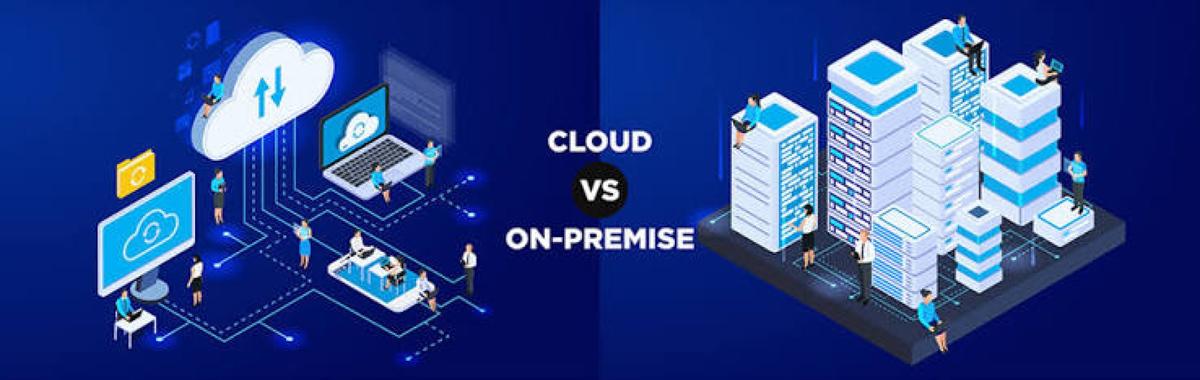
Cloud vs On-Premise: What's the Difference?
As businesses adopt digital technologies, one of the biggest decisions they face is whether to use cloud computing or maintain on-premise infrastructure. Both approaches allow organizations to run applications, store data, and manage IT systems, but they differ significantly in cost, scalability, maintenance, security, and deployment.
Choosing between cloud and on-premise depends on an organization's business goals, regulatory requirements, budget, and technical needs.
What Is Cloud Computing?

Cloud computing delivers computing resources—including servers, storage, databases, networking, and software—over the internet through cloud service providers.
Instead of purchasing and maintaining physical hardware, organizations rent computing resources on demand and typically pay only for what they use.
What Is On-Premise Infrastructure?
On-premise infrastructure refers to IT systems that are owned, installed, and managed within an organization's own facilities or private data centers.
The organization is responsible for purchasing hardware, installing software, maintaining equipment, securing systems, and managing upgrades.
Cloud vs On-Premise: Key Differences
| Feature | Cloud Computing | On-Premise Infrastructure |
|---|---|---|
| Location | Hosted by a cloud provider | Hosted in the organization's own facility |
| Ownership | Infrastructure owned by the provider | Infrastructure owned by the organization |
| Initial Cost | Lower upfront investment | Higher capital investment |
| Scalability | Rapid and flexible | Requires purchasing additional hardware |
| Maintenance | Provider manages most infrastructure | Organization manages everything |
| Deployment Speed | Minutes or hours | Days, weeks, or months |
| Accessibility | Accessible from anywhere with internet access (subject to permissions) | Typically accessed through the organization's network, with remote access configured as needed |
| Updates | Often managed by the provider for infrastructure services | Managed internally by the organization |
| Disaster Recovery | Many providers offer built-in redundancy and recovery options | Organization designs and maintains disaster recovery solutions |
How Cloud Computing Works
Cloud computing operates through remote data centers connected to the internet.
Step 1: Resources Are Requested
Users or applications request computing resources such as virtual machines, storage, or databases.
Step 2: Resources Are Allocated
The cloud provider automatically provisions the required infrastructure.
Step 3: Applications Run
Applications execute on remote servers while users access them through browsers, mobile apps, or secure network connections.
Step 4: Resources Scale Automatically
Organizations can often increase or decrease computing resources based on demand.
How On-Premise Infrastructure Works
On-premise environments operate entirely within the organization's own infrastructure.
Step 1: Hardware Is Purchased
Servers, storage systems, networking equipment, and security devices are acquired and installed.
Step 2: Software Is Installed
Operating systems, databases, and business applications are configured on internal servers.
Step 3: IT Teams Manage Operations
Internal administrators monitor performance, install updates, manage backups, and maintain security.
Step 4: Infrastructure Is Expanded
When additional capacity is required, the organization purchases and installs more hardware.
Advantages of Cloud Computing
Cloud platforms offer several benefits.
Lower Upfront Costs
Organizations avoid large capital investments in hardware.
Scalability
Resources can often be increased or reduced quickly to match demand.
Faster Deployment
New infrastructure can frequently be provisioned within minutes.
Global Accessibility
Authorized users can securely access cloud services from many locations.
Automatic Infrastructure Management
Cloud providers typically manage hardware maintenance and many infrastructure updates.
Advantages of On-Premise Infrastructure
On-premise environments also provide important benefits.
Greater Direct Control
Organizations manage their own hardware, software, and infrastructure configurations.
Customization
Systems can often be tailored to specialized operational or technical requirements.
Data Residency Control
Organizations have direct oversight of where their infrastructure and stored data are located.
Local Performance
Applications running on local networks may provide very low latency for on-site users.
Challenges of Cloud Computing
Cloud adoption involves several considerations.
Ongoing Operational Costs
Subscription and usage-based pricing can increase over time as workloads grow.
Internet Dependence
Reliable network connectivity is important for accessing cloud services.
Shared Responsibility
While providers secure the cloud infrastructure, customers remain responsible for securing their applications, identities, configurations, and data.
Vendor Lock-In
Migrating between providers or platforms may require significant planning and effort.
Challenges of On-Premise Infrastructure
On-premise environments also present challenges.
High Initial Investment
Hardware, networking equipment, software licenses, and facilities require substantial upfront spending.
Maintenance Responsibility
Organizations must manage updates, repairs, backups, monitoring, and hardware replacement.
Limited Scalability
Expanding capacity often requires purchasing and deploying additional equipment.
Disaster Recovery Complexity
Organizations must design and maintain backup sites and recovery procedures.
Common Use Cases
Cloud Computing
Cloud is commonly used for:
- Web applications
- Cloud storage
- Artificial Intelligence workloads
- Software development
- Collaboration tools
- Streaming services
- Disaster recovery
- Startups and rapidly growing businesses
On-Premise Infrastructure
On-premise environments are often preferred for:
- Highly specialized enterprise applications
- Manufacturing systems
- Low-latency internal workloads
- Organizations with strict operational or regulatory requirements
- Legacy applications that are difficult to migrate
Hybrid Cloud: Combining Both Approaches
Many organizations adopt a hybrid cloud strategy, combining on-premise infrastructure with cloud services.
For example:
- Sensitive workloads may remain on-premise.
- Customer-facing applications may run in the cloud.
- Backup and disaster recovery may use cloud storage.
- AI or analytics workloads may leverage cloud computing while core systems stay on-site.
Hybrid environments offer flexibility while allowing organizations to balance performance, security, cost, and compliance needs.
Best Practices for Choosing the Right Option
Organizations should consider the following.
Evaluate Business Requirements
Choose infrastructure based on performance, security, compliance, and operational needs.
Analyze Total Cost of Ownership (TCO)
Consider both upfront investments and long-term operating costs.
Plan for Scalability
Select an approach that can support future business growth.
Prioritize Security
Implement strong identity management, encryption, monitoring, and backup strategies regardless of deployment model.
Consider Hybrid Strategies
Many organizations benefit from combining cloud and on-premise infrastructure rather than relying exclusively on one approach.
Future of Enterprise Infrastructure
Enterprise infrastructure continues to evolve through hybrid cloud, multi-cloud strategies, edge computing, Artificial Intelligence, containerization, serverless computing, and software-defined infrastructure. Organizations are increasingly distributing workloads across cloud providers and on-premise environments to improve flexibility, resilience, and performance. As AI and digital transformation accelerate, hybrid architectures are expected to become the dominant model for many enterprises.
Conclusion
Cloud computing and on-premise infrastructure each offer unique advantages. Cloud provides flexibility, scalability, and rapid deployment with lower upfront costs, while on-premise infrastructure offers greater direct control, customization, and local management. Many modern organizations are adopting hybrid cloud strategies that combine the strengths of both approaches. The best choice depends on an organization's technical requirements, budget, security needs, compliance obligations, and long-term business goals.
 Cloud vs On-Premise Explained: Key Differences, Pros & Cons FAQs
POST A COMMENT (0)
All Comments (0)
Replies (0)