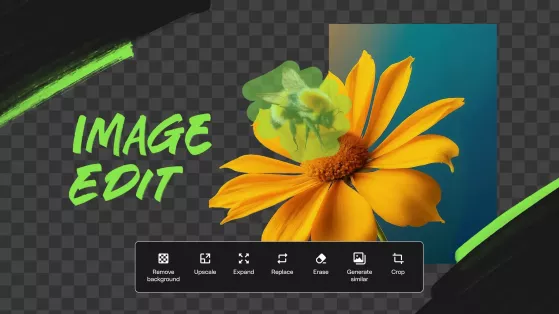
AI for Image Editing: How Artificial Intelligence Is Transforming Photo and Graphic Editing
Artificial Intelligence (AI) is transforming image editing by helping photographers, designers, marketers, content creators, and businesses edit photos faster and more efficiently. From removing backgrounds and enhancing image quality to generating realistic edits and automating repetitive tasks, AI-powered image editing tools simplify complex workflows while maintaining professional results.
Rather than replacing creative professionals, AI serves as an intelligent editing assistant that automates routine tasks and allows users to focus on creativity, storytelling, and visual design.
What Is AI for Image Editing?

AI for image editing refers to the use of artificial intelligence technologies to modify, enhance, restore, generate, and optimize digital images automatically or with minimal manual input.
AI-powered image editing tools use machine learning and computer vision to understand image content, recognize objects, improve quality, and apply edits based on user instructions.
How AI Helps with Image Editing
AI supports users throughout the image editing process.
1. Background Removal
AI can automatically remove or replace image backgrounds for:
- Product photos
- Portraits
- Marketing materials
- Social media content
- E-commerce listings
- Professional presentations
This significantly reduces manual editing time.
2. Image Enhancement
AI helps improve photo quality by:
- Increasing sharpness
- Reducing noise
- Correcting exposure
- Adjusting colors
- Improving contrast
- Enhancing details
Users should review enhancements to ensure they achieve the desired visual effect.
3. Object Removal
AI can remove unwanted elements such as:
- Background distractions
- Power lines
- Unwanted people
- Dust and blemishes
- Minor imperfections
- Visual clutter
This creates cleaner and more polished images.
4. Image Restoration
AI assists with restoring:
- Old photographs
- Damaged images
- Scratched pictures
- Low-resolution photos
- Faded colors
- Historical photographs
Human review helps preserve authenticity during restoration.
5. AI Image Generation
AI can create new visual content from text prompts, including:
- Illustrations
- Marketing graphics
- Concept art
- Product mockups
- Social media visuals
- Creative designs
Generated images should be reviewed for accuracy, originality, and appropriate use.
6. Portrait Editing
AI helps improve portraits by assisting with:
- Skin retouching
- Lighting adjustments
- Background blur
- Facial enhancements
- Color correction
- Eye and smile enhancements
Professional editing should maintain realistic and ethical image standards.
7. Batch Editing
AI can apply consistent edits across multiple images by automating:
- Color correction
- Cropping
- Resizing
- Watermarking
- File renaming
- Export settings
This improves efficiency for photographers and businesses managing large image collections.
8. Workflow Automation
AI automates repetitive editing tasks such as:
- Image tagging
- File organization
- Duplicate detection
- Metadata generation
- Content categorization
- Asset management
This streamlines digital asset management and creative workflows.
Benefits of AI for Image Editing
AI offers several important advantages.
Faster Editing
AI performs complex image edits within seconds, significantly reducing editing time.
Improved Productivity
Automation allows creators to edit larger numbers of images more efficiently.
Professional Results
AI-powered enhancements help users achieve high-quality visual output, even with limited editing experience.
Easier Accessibility
Natural language editing tools make advanced image editing more accessible to beginners.
Scalable Creative Workflows
Businesses and creators can efficiently process large image libraries using AI-powered automation.
Challenges of AI for Image Editing
Despite its benefits, AI also presents important challenges.
Accuracy
AI-generated edits may occasionally produce unrealistic results or incorrectly modify important image elements.
Copyright and Ownership
Users should understand the licensing and intellectual property implications of AI-generated or AI-edited images.
Authenticity
Excessive editing can create misleading or unrealistic visuals, particularly in journalism, advertising, or documentary content.
Human Creativity
Creative direction, artistic judgment, branding, and storytelling remain essential human responsibilities.
Best Practices for Using AI for Image Editing
Users should follow these recommendations.
Use AI as a Creative Assistant
Allow AI to automate repetitive editing tasks while maintaining creative control over the final image.
Review Every Edit
Check AI-generated enhancements, object removals, and generated visuals before publishing.
Respect Copyright and Ethics
Use AI responsibly and ensure images comply with copyright laws, licensing requirements, and ethical standards.
Maintain Brand Consistency
Ensure AI-edited visuals match your organization's style, colors, and visual identity.
Continue Developing Design Skills
Strengthen photography, composition, color theory, and visual storytelling alongside AI-assisted editing.
Common Applications of AI for Image Editing
AI is increasingly used for:
- Background removal
- Image enhancement
- Object removal
- Photo restoration
- AI image generation
- Portrait retouching
- Batch editing
- Product photography
- Social media graphics
- Marketing visuals
- Digital asset management
- Workflow automation
Future of AI for Image Editing
Artificial Intelligence is expected to become even more advanced through real-time image editing, intelligent object recognition, generative image expansion, 3D content creation, personalized editing assistants, and seamless collaboration with professional design software. As AI technologies continue to evolve, photographers, designers, marketers, and businesses will increasingly use intelligent editing tools to enhance creativity and productivity while maintaining human artistic direction and ethical standards.
Conclusion
Artificial Intelligence is transforming image editing by helping users enhance photos, remove backgrounds, restore old images, generate creative visuals, and automate repetitive editing tasks. Rather than replacing designers and photographers, AI serves as a valuable creative assistant that improves efficiency and accessibility. When combined with artistic expertise, ethical practices, and thoughtful visual storytelling, AI enables creators to produce professional-quality images more quickly and effectively.