





What Is No-Code Development? How It Works, Benefits and Real-World Applications
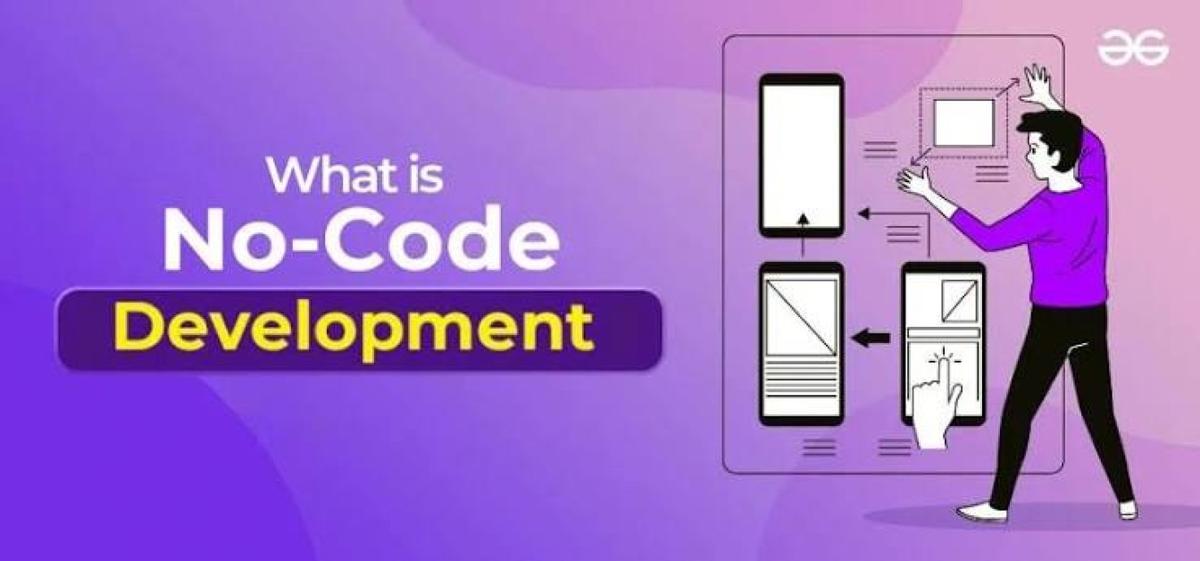
No-code development is an approach to building software applications, websites, workflows, and business solutions without writing traditional programming code. Instead of coding, users create applications using visual interfaces, drag-and-drop components, templates, and pre-built logic.
No-code platforms enable entrepreneurs, business professionals, educators, marketers, and other non-programmers to develop digital solutions more quickly while reducing the need for extensive software development expertise.
What Is No-Code Development?

No-code development is a software development approach that allows users to create applications through visual tools rather than writing programming code.
How No-Code Development Works
No-code platforms provide graphical interfaces where users assemble applications using drag-and-drop components, forms, databases, workflows, and integrations. Behind the scenes, the platform automatically generates and manages the underlying code needed to run the application.
Many platforms also include built-in hosting, security, authentication, analytics, and deployment tools, simplifying the development process.
Why No-Code Development Matters
No-code development reduces technical barriers, allowing organizations to build applications faster, automate business processes, and accelerate digital transformation.
Key Components of No-Code Platforms
Several features make no-code development possible.
Visual Builder
A drag-and-drop interface allows users to design applications without programming.
Pre-Built Components
Ready-made forms, buttons, dashboards, charts, and templates simplify development.
Workflow Automation
Visual workflows automate business processes and application logic.
Database Management
Many platforms include integrated databases for storing application data.
Third-Party Integrations
Users can connect applications with cloud services, payment gateways, email platforms, and business software through built-in connectors or APIs.
Common Applications of No-Code Development
No-code platforms support many business and personal use cases.
Website Creation
Users build business websites, portfolios, landing pages, and blogs.
Mobile Applications
Businesses create customer-facing mobile apps without extensive coding.
Internal Business Tools
Organizations develop dashboards, approval systems, inventory management tools, and employee portals.
Workflow Automation
Routine business processes such as approvals, notifications, and reporting can be automated.
Customer Relationship Management (CRM)
Companies create customized CRM systems tailored to their operations.
Event Registration
Organizations develop online registration forms, ticketing systems, and attendee management applications.
Benefits of No-Code Development
No-code development offers numerous advantages.
Faster Development
Applications can often be built much more quickly than with traditional software development.
Lower Costs
Organizations reduce development expenses by minimizing the need for custom programming.
Greater Accessibility
People without programming experience can create useful digital solutions.
Rapid Prototyping
Ideas can be tested and refined before investing in large-scale software development.
Increased Business Agility
Teams can respond more quickly to changing business requirements.
Challenges of No-Code Development
Despite its benefits, no-code platforms have some limitations.
Limited Customization
Highly specialized applications may require traditional programming beyond what no-code platforms support.
Vendor Dependence
Applications may rely heavily on the platform's features, pricing, and long-term availability.
Scalability Considerations
Some no-code platforms may be less suitable for extremely large or highly complex enterprise applications.
Integration Constraints
Although many platforms support integrations, connecting with highly customized systems may require additional development.
No-Code vs. Low-Code Development
These approaches are related but not identical.
No-Code Development
Designed primarily for users with little or no programming experience, relying almost entirely on visual tools.
Low-Code Development
Combines visual development with custom programming, allowing developers to extend functionality when needed.
Organizations often choose no-code for simpler applications and low-code for more advanced business systems requiring greater flexibility.
Best Practices for No-Code Development
Organizations should follow these recommendations.
Define Clear Objectives
Identify business goals before building an application.
Keep Applications Simple
Begin with essential features and expand gradually.
Plan Data Structure
Organize databases and workflows carefully before implementation.
Test Thoroughly
Verify functionality, usability, and performance before deployment.
Review Security
Ensure user authentication, access permissions, and data protection measures are properly configured.
Future of No-Code Development
No-code development continues to evolve through Artificial Intelligence, generative AI, cloud computing, workflow automation, and intelligent application generation. AI-powered no-code platforms can increasingly generate interfaces, workflows, databases, and automation based on natural language instructions, making application development even more accessible. As businesses accelerate digital transformation, no-code solutions are expected to play an increasingly important role alongside traditional software development.
Conclusion
No-code development is transforming software creation by enabling individuals and organizations to build applications without writing traditional code. Through visual interfaces, drag-and-drop tools, and built-in automation, no-code platforms reduce development time, lower costs, and empower more people to solve business problems digitally. While highly complex applications may still require traditional programming, no-code development has become a valuable tool for accelerating innovation and digital transformation.
 What Is No-Code Development? Complete Guide Explained FAQs
POST A COMMENT (0)
All Comments (0)
Replies (0)