





What Is a Server? How It Works, Types and Real-World Applications
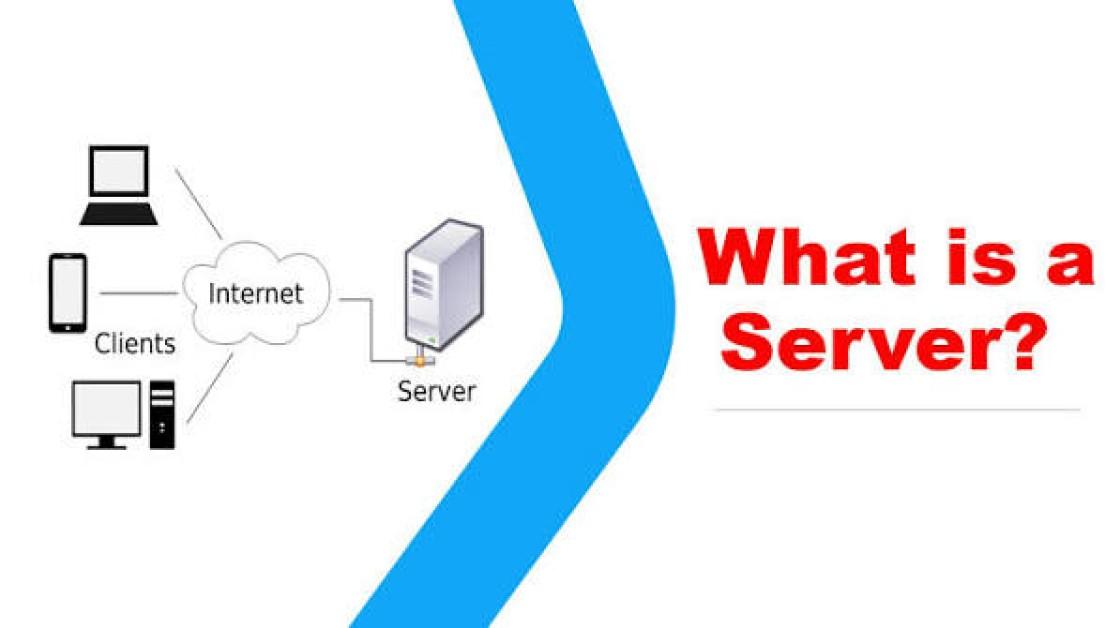
A server is a computer or software system that provides services, data, or resources to other computers or devices over a network. The devices requesting these services are called clients. Every time you visit a website, stream a video, send an email, or use a mobile app, one or more servers work behind the scenes to process your request and deliver the information you need.
Servers are the backbone of modern computing, supporting websites, cloud platforms, online gaming, banking systems, Artificial Intelligence (AI), enterprise applications, and internet services used by billions of people every day.
What Is a Server?

A server is a physical computer or virtual machine designed to receive requests, process them, and deliver services or resources to connected devices.
How a Server Works
When a client device—such as a laptop, smartphone, or another computer—requests information, the server receives the request, processes it, retrieves the required data if necessary, and sends a response back to the client. This communication typically takes place over a local network or the internet using standard networking protocols.
Why Servers Matter
Servers enable websites, applications, databases, cloud services, file sharing, email, and countless other digital services to operate continuously and reliably.
Key Components of a Server
Several hardware and software components work together inside a server.
Processor (CPU)
The CPU performs calculations and processes client requests.
Memory (RAM)
RAM temporarily stores active data and applications to improve processing speed.
Storage
Hard drives or solid-state drives (SSDs) store operating systems, applications, databases, and files.
Network Interface
Network hardware connects the server to local networks and the internet.
Operating System
A server operating system manages hardware resources, users, applications, and network communication.
Types of Servers
Different servers are optimized for different tasks.
Web Server
Hosts websites and delivers web pages to users through web browsers.
File Server
Stores and shares files across a network for authorized users.
Database Server
Stores, manages, and processes databases for applications and websites.
Mail Server
Handles the sending, receiving, and storage of email messages.
Application Server
Runs business applications and delivers services to users or other software.
Cloud Server
A virtual server hosted within cloud infrastructure, providing scalable computing resources over the internet.
Proxy Server
Acts as an intermediary between users and internet services to improve security, privacy, performance, or content filtering.
DNS Server
Translates domain names into IP addresses so devices can locate websites and online services.
Common Applications of Servers
Servers support nearly every digital service.
Websites
Web servers host websites and deliver content to visitors around the world.
Cloud Computing
Cloud providers use massive server infrastructure to deliver computing, storage, databases, and software services.
Business Applications
Organizations run customer relationship management (CRM), enterprise resource planning (ERP), and collaboration platforms on servers.
Online Gaming
Game servers synchronize player activity and manage multiplayer gaming environments.
Artificial Intelligence
AI workloads use powerful servers equipped with high-performance CPUs and GPUs for training and running machine learning models.
Data Storage
Servers store business files, backups, multimedia content, and enterprise databases.
Benefits of Servers
Servers offer several important advantages.
Centralized Resource Management
Applications, files, and services can be managed from a central location.
High Availability
Redundant hardware and failover systems help minimize downtime.
Scalability
Additional computing resources can be added as user demand increases.
Enhanced Security
Servers support access controls, encryption, firewalls, and monitoring to protect sensitive information.
Multi-User Support
Many users and applications can access server resources simultaneously.
Challenges of Server Management
Despite their benefits, servers require careful management.
Hardware Failures
Components such as storage drives, memory, or power supplies may eventually fail.
Cybersecurity Risks
Servers are common targets for malware, ransomware, unauthorized access, and Distributed Denial-of-Service (DDoS) attacks.
Maintenance Requirements
Servers require software updates, hardware monitoring, backups, and security patching.
Power and Cooling
Physical servers consume electricity and require cooling systems to operate reliably.
Best Practices for Server Management
Organizations should follow these recommendations.
Keep Software Updated
Install operating system updates and security patches promptly.
Monitor Performance
Track CPU usage, memory consumption, storage capacity, and network activity.
Implement Strong Security
Use firewalls, encryption, Multi-Factor Authentication (MFA), and intrusion detection systems.
Maintain Regular Backups
Create and test backups to support disaster recovery and business continuity.
Restrict Access
Grant users only the permissions they need and regularly review access controls.
Future of Servers
Servers continue to evolve through cloud computing, virtualization, containerization, edge computing, Artificial Intelligence, and energy-efficient hardware. AI-powered management systems are improving workload optimization, predictive maintenance, and security monitoring, while cloud-native technologies make server deployment faster and more flexible. As digital services continue to expand, servers will remain the foundation of modern computing and internet infrastructure.
Conclusion
Servers are essential components of today's digital world, providing the computing power needed to host websites, store data, run applications, and deliver cloud services. Whether deployed in data centers, cloud platforms, or enterprise environments, servers enable fast, reliable, and secure communication between users and digital services. Understanding how servers work helps explain the infrastructure that powers the internet and modern technology.
 What Is a Server? Complete Guide Explained in Detail FAQs
POST A COMMENT (0)
All Comments (0)
Replies (0)