v
How Satellite Internet Works: A Beginner's Guide to Internet from Space
Satellite internet is a broadband technology that delivers internet connectivity using communication satellites orbiting Earth instead of relying entirely on underground cables or cellular towers. By transmitting data between user equipment, satellites, and ground stations, satellite internet provides online access in places where traditional broadband infrastructure may be unavailable or difficult to deploy.
Today, satellite internet connects homes, businesses, ships, aircraft, emergency services, and remote communities around the world.
What Is Satellite Internet?

Satellite internet is a wireless broadband service that uses orbiting satellites to transmit internet data between users and the global internet.
Unlike fiber-optic or cable internet, satellite internet can provide coverage across vast geographic areas, including mountains, deserts, forests, and oceans.
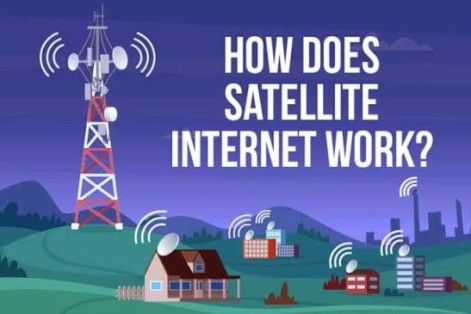
How Satellite Internet Works
Satellite internet relies on several coordinated technologies.
Step 1: The User Sends a Request
When you open a website or stream a video, your computer or smartphone sends data to a satellite modem, which forwards the information to an outdoor satellite antenna or user terminal.
Step 2: The Signal Travels to a Satellite
The antenna transmits radio signals to a communications satellite orbiting Earth.
Depending on the provider, the satellite may operate in:
- Low Earth Orbit (LEO)
- Medium Earth Orbit (MEO)
- Geostationary Earth Orbit (GEO)
Step 3: The Satellite Relays the Signal
The satellite receives the request and relays it to a ground station (also called a gateway) connected to the global internet through high-speed terrestrial networks.
Step 4: The Internet Processes the Request
The ground station retrieves the requested website, video, cloud service, or other online content from internet servers.
Step 5: Data Returns Through the Satellite
The response travels from the ground station back to the satellite, which retransmits it to the user's antenna.
Step 6: The User Receives the Data
The satellite modem converts the received signals into digital data that computers, smartphones, routers, and other connected devices can use.
This process repeats continuously while browsing, streaming, gaming, or communicating online.
Key Components of Satellite Internet
Several technologies work together to deliver satellite broadband.
Communication Satellites
Orbiting satellites receive, amplify, and retransmit internet signals between users and ground stations.
User Terminal
The outdoor antenna or satellite dish sends and receives signals from the satellite.
Satellite Modem
Converts digital information into radio signals for transmission and converts incoming signals back into usable internet data.
Ground Station
Connects satellite communications to the global internet backbone.
Wi-Fi Router
Distributes the internet connection to multiple devices within a home or business.
Types of Satellite Internet
Satellite systems differ mainly by orbital altitude.
Geostationary Earth Orbit (GEO)
- Approximately 35,786 km (22,236 miles) above Earth.
- Satellites remain fixed over one location.
- Wide coverage with fewer satellites.
- Typically higher latency because signals travel much farther.
Medium Earth Orbit (MEO)
- Operates between LEO and GEO altitudes.
- Offers a balance between coverage and latency.
- Commonly used for navigation and some communication services.
Low Earth Orbit (LEO)
- Typically 160 to 2,000 km (100 to 1,240 miles) above Earth.
- Requires large constellations of satellites.
- Provides significantly lower latency and higher performance than traditional GEO systems.
- Increasingly used for modern broadband services.
Benefits of Satellite Internet
Satellite internet offers several advantages.
Wide Coverage
Provides internet access in rural, remote, and underserved areas.
Rapid Deployment
Connectivity can often be established without installing extensive underground cable infrastructure.
Mobility
Supports internet access for ships, aircraft, research stations, and emergency response teams.
Disaster Recovery
Can restore communications when terrestrial networks are damaged by natural disasters.
Global Connectivity
Enables internet access across large regions where conventional broadband is unavailable.
Common Applications of Satellite Internet
Satellite broadband supports many industries.
Rural Broadband
Provides internet access to homes and communities lacking fiber or cable infrastructure.
Maritime Connectivity
Supports ships, offshore platforms, and commercial vessels.
Aviation
Enables in-flight internet services for passengers and crew.
Emergency Services
Maintains communications during disasters and humanitarian operations.
Remote Business Operations
Connects mining sites, oil and gas facilities, construction projects, and scientific research stations.
Military and Government
Supports secure communications in remote and mobile environments.
Challenges of Satellite Internet
Despite its advantages, satellite internet presents several considerations.
Weather Effects
Heavy rain, snow, or severe storms can temporarily reduce signal quality.
Latency
Signals traveling long distances—especially to GEO satellites—can introduce noticeable delays.
Equipment Costs
User terminals and installation may cost more than some terrestrial broadband options.
Obstructions
Trees, buildings, or mountains blocking the antenna's view of the sky can reduce performance.
Satellite Internet vs. Fiber Internet
Both technologies deliver broadband internet but differ in important ways.
Satellite Internet
- Uses wireless radio signals transmitted through satellites.
- Covers remote and hard-to-reach areas.
- Can be deployed where terrestrial infrastructure is unavailable.
- Performance varies depending on orbit type and environmental conditions.
Fiber Internet
- Uses pulses of light transmitted through optical fiber cables.
- Generally provides lower latency and higher sustained speeds.
- Requires physical cable infrastructure.
- Widely preferred where fiber service is available.
Best Practices for Satellite Internet
Users should follow these recommendations.
Install Equipment Properly
Ensure the antenna has a clear, unobstructed view of the sky.
Protect Equipment
Secure antennas against strong winds and severe weather.
Optimize Wi-Fi Placement
Position routers centrally for better indoor coverage.
Keep Firmware Updated
Install modem and router updates to improve performance and security.
Manage Network Usage
Schedule large downloads during periods of lower network demand when practical.
Future of Satellite Internet
Satellite internet continues to evolve through Low Earth Orbit (LEO) constellations, Artificial Intelligence-powered network optimization, laser-based inter-satellite communications, reusable launch vehicles, and advanced satellite technologies. AI increasingly helps optimize routing, manage network traffic, and improve service reliability, while next-generation satellites promise faster speeds, lower latency, and broader global coverage. As satellite constellations expand, satellite internet is expected to play an increasingly important role in connecting remote communities, supporting autonomous systems, and extending broadband access worldwide.
Conclusion
Satellite internet brings broadband connectivity to locations where traditional wired infrastructure is unavailable by transmitting data through communication satellites and ground stations. Whether using GEO, MEO, or modern LEO satellite networks, this technology enables reliable internet access for homes, businesses, transportation, and emergency services across the globe. As satellite technology advances, it will continue to expand digital connectivity and help bridge the global internet access gap.