What Is Cloud Storage? How It Works, Benefits and Real-World Applications
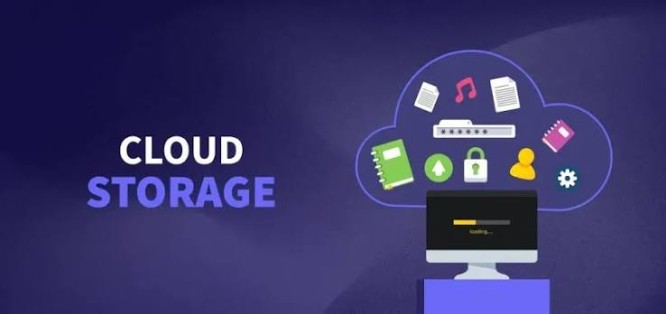
Cloud storage is a technology that allows users to store digital files, documents, photos, videos, databases, and other data on remote servers that are accessed over the internet. Instead of saving files only on a computer's hard drive or an external storage device, cloud storage enables users to access their data from virtually anywhere using an internet-connected device.
Today, cloud storage is widely used by individuals, businesses, educational institutions, and governments to back up data, share files, collaborate on projects, and support cloud-based applications.
What Is Cloud Storage?

Cloud storage is a service that stores digital data on remote servers managed by a cloud provider, allowing users to securely access, manage, and share their files over the internet.
How Cloud Storage Works
When a user uploads a file, it is transmitted over a secure internet connection to servers located in one or more data centers. The cloud provider stores the data, often creating multiple copies across different storage systems to improve reliability. Users can then retrieve, edit, or share their files from computers, smartphones, or tablets whenever needed.
Why Cloud Storage Matters
Cloud storage eliminates many of the limitations of local storage by providing scalable capacity, automatic backups, remote accessibility, and easier collaboration.
Types of Cloud Storage
Cloud storage services are designed for different purposes.
Public Cloud Storage
Storage infrastructure is operated by a cloud provider and shared securely among multiple customers, making it suitable for personal use and many businesses.
Private Cloud Storage
Dedicated storage infrastructure is used by a single organization, providing greater control, customization, and security.
Hybrid Cloud Storage
Combines public and private cloud storage, allowing organizations to balance flexibility, performance, and compliance requirements.
Object Storage
Stores data as objects with metadata, making it ideal for large volumes of unstructured data such as images, videos, backups, and application content.
File Storage
Organizes data into files and folders, making it easy for users and applications to access shared documents.
Block Storage
Stores data in fixed-size blocks and is commonly used for databases, virtual machines, and high-performance enterprise applications.
Common Applications of Cloud Storage
Cloud storage supports many everyday and business activities.
File Backup
Users protect important files against accidental deletion, hardware failure, or device loss.
File Sharing
Teams can securely share documents and collaborate regardless of location.
Disaster Recovery
Organizations restore critical business data after system failures, cyberattacks, or natural disasters.
Media Storage
Photos, videos, music, and digital content can be stored and accessed from multiple devices.
Business Applications
Enterprise software stores customer information, financial records, project files, and operational data in the cloud.
Artificial Intelligence
AI systems use cloud storage to manage large datasets needed for model training and analytics.
Benefits of Cloud Storage
Cloud storage offers numerous advantages.
Anywhere Access
Users can securely access their files from almost any internet-connected device.
Scalability
Storage capacity can be increased or reduced based on changing requirements.
Automatic Backup
Many cloud storage services automatically back up files to reduce the risk of data loss.
Cost Efficiency
Organizations avoid purchasing and maintaining large amounts of physical storage hardware.
Collaboration
Multiple users can work on shared files and projects more efficiently.
Security Features of Cloud Storage
Modern cloud storage platforms include several security measures.
Encryption
Data is commonly encrypted during transmission and while stored to help protect confidentiality.
Access Controls
Role-based permissions and identity management limit access to authorized users.
Multi-Factor Authentication (MFA)
Additional authentication helps protect user accounts from unauthorized access.
Redundant Storage
Multiple copies of data improve availability and resilience if hardware fails.
Continuous Monitoring
Providers monitor systems for security threats, unusual activity, and infrastructure issues.
Challenges of Cloud Storage
Despite its benefits, cloud storage presents several considerations.
Internet Dependency
Accessing cloud-stored data generally requires a reliable internet connection.
Data Privacy
Organizations should understand how providers manage, store, and protect sensitive information.
Ongoing Costs
Subscription or usage-based pricing can increase as storage requirements grow.
Vendor Dependence
Migrating large volumes of data between cloud providers may require careful planning.
Best Practices for Using Cloud Storage
Organizations and individuals should follow these recommendations.
Enable Multi-Factor Authentication
Protect cloud accounts with MFA whenever available.
Encrypt Sensitive Files
Use encryption for confidential data before or during cloud storage.
Review Access Permissions
Regularly verify who has access to shared files and remove unnecessary permissions.
Maintain Local Backups
Keep additional backups of critical information where appropriate as part of a broader backup strategy.
Choose Reputable Providers
Select cloud storage services with strong security practices, transparent policies, and reliable uptime.
Future of Cloud Storage
Cloud storage continues to evolve through Artificial Intelligence, edge computing, automation, intelligent data lifecycle management, and stronger cybersecurity. AI-powered storage platforms can classify data automatically, optimize storage usage, detect anomalies, and improve backup strategies. As organizations generate increasing amounts of digital information, cloud storage will remain a critical component of modern computing, supporting applications in AI, Big Data, cloud computing, and digital collaboration.
Conclusion
Cloud storage has transformed how individuals and organizations manage digital information by providing secure, scalable, and easily accessible storage over the internet. From personal file backups to enterprise data management and AI applications, cloud storage offers flexibility, collaboration, and business continuity that traditional storage solutions often cannot match. By following strong security practices and choosing reliable providers, users can safely take advantage of the many benefits cloud storage offers.