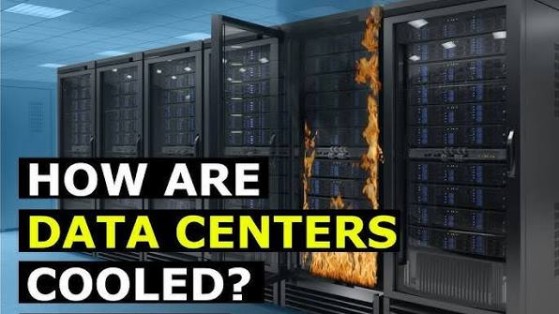
How Data Centers Stay Cool: A Beginner's Guide to Data Center Cooling
Data centers are the backbone of the digital world, powering cloud computing, Artificial Intelligence (AI), streaming services, online banking, e-commerce, and enterprise applications. Inside these facilities, thousands of servers operate around the clock, generating enormous amounts of heat.
Without effective cooling systems, servers can overheat, leading to reduced performance, hardware failures, higher energy consumption, and costly downtime. Modern data centers therefore use advanced cooling technologies to maintain safe operating temperatures while maximizing efficiency.
What Is Data Center Cooling?

Data center cooling is the process of removing excess heat generated by servers, networking equipment, storage systems, and power infrastructure.
Cooling systems maintain stable temperatures and humidity levels to ensure reliable operation, improve energy efficiency, and extend the lifespan of IT equipment.
Why Do Data Centers Generate So Much Heat?
Every server contains processors (CPUs), graphics processors (GPUs), memory, storage devices, and power components that consume electricity while performing computations.
Almost all of this electrical energy is eventually converted into heat. As computing workloads increase—especially for AI training, cloud services, and high-performance computing—heat generation rises significantly.
How Data Centers Stay Cool
Modern data centers use several coordinated cooling techniques.
Step 1: Cool Air Is Supplied
Cooling systems deliver chilled air into server rooms through raised floors, overhead ducts, or specialized air distribution systems.
The cool air enters the front of server racks where equipment draws it in for cooling.
Step 2: Servers Remove Heat
Internal fans move cool air across CPUs, GPUs, memory modules, and power supplies, absorbing the heat generated during operation.
Step 3: Hot Air Is Collected
Warm air exits the back of the servers.
To prevent hot and cold air from mixing, many facilities use hot aisle and cold aisle layouts:
- Cold aisles supply cool air to server intakes.
- Hot aisles collect heated exhaust air for removal.
Many modern facilities also use containment systems to physically separate these airflows, improving cooling efficiency.
Step 4: Heat Is Removed
Cooling equipment transfers heat away from the server room using systems such as:
- Computer Room Air Conditioners (CRAC)
- Computer Room Air Handlers (CRAH)
- Chillers
- Cooling towers
- Heat exchangers
The captured heat is released outdoors or transferred to other cooling infrastructure.
Step 5: The Cycle Repeats
Cooling systems continuously monitor temperatures and adjust airflow or cooling capacity automatically to maintain optimal operating conditions.
Air Cooling
Air cooling remains the most widely used method.
It relies on:
- High-performance server fans
- Air conditioning systems
- Raised floor airflow
- Ceiling ventilation
- Containment systems
Air cooling works well for many traditional enterprise workloads but can become less efficient for extremely dense AI and high-performance computing environments.
Liquid Cooling
As processors become more powerful, many modern data centers are adopting liquid cooling.
Liquid cooling transfers heat more efficiently than air because liquids can absorb and carry away more thermal energy.
Common approaches include:
Direct-to-Chip Cooling
Coolant flows through cold plates attached directly to CPUs and GPUs.
Immersion Cooling
Entire servers are submerged in specially engineered non-conductive dielectric liquids that absorb heat efficiently.
Liquid cooling is becoming increasingly important for AI servers equipped with high-performance GPUs.
Key Components of Data Center Cooling
Several technologies work together.
CRAC Units
Computer Room Air Conditioners cool and circulate air throughout the facility.
CRAH Units
Computer Room Air Handlers use chilled water supplied by central cooling systems to remove heat.
Chillers
Produce chilled water used in large-scale cooling systems.
Cooling Towers
Release heat from chilled water systems to the outside environment.
Heat Exchangers
Transfer heat between different fluids without mixing them.
Environmental Sensors
Continuously monitor:
- Temperature
- Humidity
- Airflow
- Power consumption
AI-Powered Cooling
Modern data centers increasingly use Artificial Intelligence to optimize cooling.
AI systems can:
- Predict cooling demand
- Adjust fan speeds automatically
- Optimize airflow
- Detect hotspots
- Reduce energy consumption
- Improve equipment reliability
By analyzing real-time sensor data, AI helps maintain efficient cooling while lowering operating costs.
Benefits of Efficient Cooling
Effective cooling provides several advantages.
Improved Reliability
Stable temperatures reduce hardware failures and downtime.
Better Performance
Servers can operate at full capacity without thermal throttling.
Lower Energy Costs
Efficient cooling reduces electricity consumption.
Longer Equipment Lifespan
Maintaining proper temperatures helps extend the life of servers and networking equipment.
Sustainability
Energy-efficient cooling reduces carbon emissions and environmental impact.
Challenges of Data Center Cooling
Cooling large facilities presents several challenges.
Rising AI Workloads
Modern AI servers generate significantly more heat than traditional enterprise servers.
High Energy Consumption
Cooling can account for a substantial portion of a data center's electricity usage.
Water Usage
Some cooling systems require considerable amounts of water, depending on their design and local climate.
Infrastructure Costs
Advanced cooling technologies require significant investment and ongoing maintenance.
Best Practices for Data Center Cooling
Operators follow several industry best practices.
Separate Hot and Cold Airflows
Containment systems improve cooling efficiency.
Monitor Environmental Conditions
Continuous monitoring helps identify issues before they affect equipment.
Use Energy-Efficient Equipment
Modern cooling systems reduce operational costs and environmental impact.
Optimize Rack Layout
Proper equipment placement improves airflow and heat distribution.
Adopt Liquid Cooling Where Appropriate
High-density AI and HPC workloads often benefit from advanced liquid cooling technologies.
Future of Data Center Cooling
Data center cooling continues to evolve through liquid cooling, immersion cooling, AI-driven thermal management, renewable energy integration, heat reuse systems, and more efficient HVAC technologies. Future facilities are expected to recover waste heat for nearby buildings, use advanced cooling fluids, and rely on intelligent automation to optimize energy consumption in real time. As Artificial Intelligence, cloud computing, and high-performance computing continue to expand, innovative cooling technologies will play a critical role in supporting the next generation of digital infrastructure.
Conclusion
Data centers stay cool by combining air conditioning, airflow management, liquid cooling, environmental monitoring, and increasingly AI-powered optimization to remove the massive amounts of heat generated by modern computing equipment. Efficient cooling not only protects servers from overheating but also improves reliability, reduces energy consumption, and supports sustainable operations. As computing demands continue to grow, advanced cooling technologies will remain essential to keeping the world's digital infrastructure running safely and efficiently.