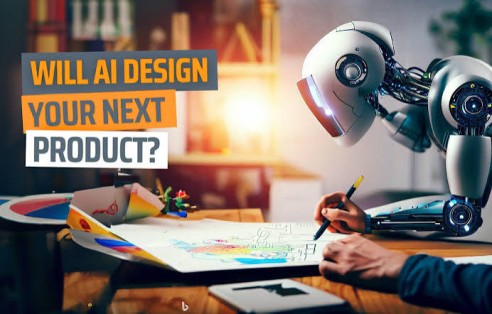
AI for Designers: How Artificial Intelligence Is Transforming Creative Design
Artificial Intelligence (AI) is transforming the creative industry by helping designers generate ideas, automate repetitive tasks, create visual content, and accelerate design workflows. Rather than replacing designers, AI serves as a creative assistant that enhances productivity and allows professionals to spend more time on strategy, storytelling, branding, and user experience.
From graphic design and branding to UI/UX, illustration, product design, and marketing materials, AI is becoming an increasingly valuable tool for creative professionals.
What Is AI in Design?

AI in design refers to the use of artificial intelligence technologies to assist with visual creation, image editing, layout generation, design recommendations, workflow automation, and creative ideation.
AI-powered tools can analyze design patterns, generate visual assets, suggest improvements, and automate time-consuming production tasks while leaving creative direction and final decision-making to human designers.
How AI Helps Designers
AI supports designers throughout the creative process.
1. Idea Generation
AI can help designers brainstorm:
- Logo concepts
- Brand identities
- Color palettes
- Marketing campaign ideas
- Website layouts
- Product packaging concepts
These suggestions can serve as inspiration during the early stages of a project.
2. Image Generation
Generative AI can create original visuals based on text prompts.
Designers can generate:
- Illustrations
- Concept art
- Marketing graphics
- Social media visuals
- Background images
- Mood boards
AI-generated images often serve as starting points that designers refine further.
3. Photo Editing
AI simplifies image editing by assisting with:
- Background removal
- Object removal
- Image enhancement
- Color correction
- Noise reduction
- Image upscaling
These tools significantly reduce editing time.
4. UI and UX Design Assistance
AI can support user interface and user experience design by helping create:
- Wireframes
- Layout suggestions
- Design systems
- User flow ideas
- Accessibility recommendations
Human designers remain responsible for usability testing and final design decisions.
5. Content Creation
AI helps designers quickly generate:
- Icons
- Presentation graphics
- Infographics
- Advertising creatives
- Banner designs
- Social media templates
This speeds up production while maintaining creative flexibility.
6. Design Variations
Instead of creating every version manually, AI can generate multiple design alternatives based on the same concept.
This helps clients compare different styles more efficiently.
7. Brand Consistency
AI can help maintain consistent:
- Colors
- Typography
- Logos
- Visual styles
- Layout standards
This is especially useful for large organizations managing multiple campaigns.
8. Workflow Automation
AI automates repetitive design tasks such as:
- File organization
- Asset tagging
- Image resizing
- Batch editing
- Template generation
- Export optimization
This allows designers to focus on creative problem-solving rather than repetitive production work.
Benefits of AI for Designers
AI offers several important advantages.
Faster Design Process
Automation significantly reduces the time needed to complete routine tasks.
Enhanced Creativity
AI provides fresh ideas and visual concepts that can inspire new creative directions.
Increased Productivity
Designers can complete more projects without sacrificing quality.
Better Collaboration
AI-generated prototypes and concepts make it easier to communicate ideas with clients and team members.
Cost Efficiency
Automation can reduce production time and improve workflow efficiency for businesses and creative agencies.
Challenges of AI in Design
Despite its advantages, AI also presents several challenges.
Originality
AI-generated designs may resemble patterns learned from existing data and may require further refinement to achieve a distinctive creative outcome.
Copyright and Licensing
Designers should understand the licensing terms of AI tools and verify that generated assets can be used for their intended commercial or personal purposes.
Quality Control
AI-generated content should always be reviewed for accuracy, consistency, accessibility, and brand alignment.
Overreliance
Creative thinking, storytelling, emotional connection, and strategic design decisions remain human strengths that AI cannot fully replicate.
Best Practices for Designers Using AI
Creative professionals should follow these recommendations.
Use AI as a Creative Assistant
Allow AI to support brainstorming and production while maintaining human creative direction.
Review Every Output
Carefully evaluate AI-generated visuals before publishing or delivering them to clients.
Respect Intellectual Property
Use AI tools responsibly and comply with copyright, licensing, and usage policies.
Maintain Brand Identity
Ensure AI-generated content aligns with established branding guidelines.
Continue Developing Creative Skills
Strengthen design fundamentals, communication skills, and user-centered thinking alongside AI proficiency.
Common Applications of AI in Design
AI is increasingly used for:
- Graphic design
- Logo creation
- Branding
- UI/UX design
- Product design
- Illustration
- Marketing materials
- Social media graphics
- Image editing
- Motion graphics support
- Interior design visualization
- Fashion concept development
Future of AI in Design
Artificial Intelligence is expected to play an even greater role in design through multimodal content creation, real-time collaboration, personalized user experiences, generative interfaces, intelligent design systems, and immersive 3D content generation. Future AI tools will increasingly assist designers with rapid prototyping, accessibility improvements, and cross-platform design while enabling professionals to focus on creativity, innovation, and human-centered experiences.
Conclusion
Artificial Intelligence is transforming the design industry by helping professionals generate ideas, automate repetitive tasks, accelerate workflows, and create visual content more efficiently. Rather than replacing designers, AI enhances creativity by acting as a powerful assistant throughout the design process. When combined with human imagination, design expertise, and critical thinking, AI enables designers to produce higher-quality work while focusing on innovation and meaningful user experiences.