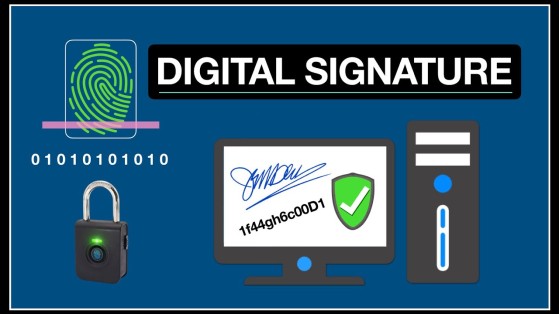
How Digital Signatures Work: A Beginner's Guide to Secure Electronic Authentication
A digital signature is a cryptographic technology that verifies the authenticity, integrity, and origin of a digital document, email, software application, or online transaction. Unlike a handwritten signature, a digital signature uses public key cryptography and hash functions to provide strong security and help detect unauthorized changes.
Digital signatures are widely used in e-commerce, banking, government services, software distribution, healthcare, legal agreements, and secure business communications.
What Is a Digital Signature?

A digital signature is a mathematical technique used to prove that a digital message or document was created or approved by a specific sender and has not been altered after it was signed.
Digital signatures provide three essential security properties:
- Authentication – Confirms the identity of the sender.
- Integrity – Verifies that the content has not been modified.
- Non-repudiation – Makes it difficult for the signer to deny having signed the document, assuming the private key has remained secure.
How Digital Signatures Work
Digital signatures rely on several coordinated cryptographic steps.
Step 1: The Document Is Created
A user creates a digital document, email, software package, or transaction that needs to be signed.
Step 2: A Hash Is Generated
A cryptographic hash function converts the entire document into a fixed-length value called a hash or message digest.
Even changing a single character in the document produces a completely different hash.
Step 3: The Hash Is Signed
The sender uses their private key to encrypt or mathematically sign the hash.
This signed hash becomes the digital signature.
The original document itself is generally not encrypted by the digital signature process.
Step 4: The Signed Document Is Sent
The recipient receives:
- The original document
- The digital signature
- Often a digital certificate containing the sender's public key
Step 5: Signature Verification
The recipient uses the sender's public key to verify the digital signature and recover or validate the original hash value.
Step 6: Hash Comparison
The recipient independently generates a new hash from the received document.
If both hash values match:
- The document has not been modified.
- The signature is verified successfully.
- The sender's identity can be trusted to the extent established by the associated digital certificate.
If the hashes differ, the document may have been altered or the signature may be invalid.
Key Components of a Digital Signature
Several technologies work together.
Hash Function
Generates a unique digital fingerprint of the document.
Private Key
A secret cryptographic key used only by the signer to create the digital signature.
Public Key
A publicly shared key used by recipients to verify the signature.
Digital Certificate
A trusted electronic certificate that links a public key to an individual, organization, or device.
Public Key Infrastructure (PKI)
The framework that manages digital certificates, public keys, certificate authorities, and trust relationships.
Public Key Cryptography
Digital signatures rely on asymmetric cryptography, also called public key cryptography.
Each user possesses:
Private Key
- Kept secret.
- Used to create digital signatures.
Public Key
- Shared with others.
- Used to verify signatures.
Because the keys are mathematically related but different, the public key can verify a signature without revealing the private key.
Where Digital Signatures Are Used
Digital signatures are used across many industries.
Software Distribution
Software developers digitally sign applications and updates so users can verify they come from a trusted publisher.
Banking and Finance
Financial institutions secure electronic documents and transactions.
Government Services
Government agencies use digital signatures for electronic forms, permits, tax filings, and official records.
Healthcare
Hospitals and healthcare providers authenticate medical records and electronic prescriptions.
Business Contracts
Organizations sign digital agreements and official documents electronically.
Email Security
Digitally signed emails help recipients verify the sender and detect message tampering.
Digital Signatures vs. Electronic Signatures
Although the terms are often used together, they are not identical.
Digital Signature
- Uses cryptographic technology.
- Verifies identity and document integrity.
- Provides strong security through public key cryptography.
Electronic Signature
- A broader legal term covering many methods of indicating agreement electronically.
- May include typed names, handwritten signatures captured electronically, clicking an "I Agree" button, or cryptographic digital signatures.
- Not every electronic signature uses cryptography.
Benefits of Digital Signatures
Digital signatures provide numerous advantages.
Strong Authentication
Verify the identity of the signer.
Data Integrity
Detect unauthorized modifications to documents.
Improved Security
Protect against forgery and document tampering.
Faster Digital Workflows
Enable secure online approvals without paper documents.
Regulatory Compliance
Support electronic transactions that meet many legal and industry requirements.
Challenges of Digital Signatures
Despite their advantages, digital signatures present several considerations.
Private Key Protection
If a private key is compromised, unauthorized signatures may become possible.
Certificate Management
Organizations must properly issue, renew, and revoke digital certificates.
User Education
People should understand how to verify signatures and recognize certificate warnings.
Infrastructure Costs
Large organizations often require dedicated PKI infrastructure and ongoing management.
Best Practices for Using Digital Signatures
Organizations should follow these recommendations.
Protect Private Keys
Store private keys securely using hardware security modules (HSMs), secure devices, or encrypted storage where appropriate.
Use Trusted Certificate Authorities
Obtain digital certificates from reputable Certificate Authorities (CAs).
Monitor Certificate Expiration
Renew certificates before they expire to maintain trust.
Keep Cryptographic Software Updated
Use modern algorithms and current software versions.
Combine with Multi-Factor Authentication
Protect signing accounts with additional authentication layers whenever possible.
Future of Digital Signatures
Digital signatures continue to evolve through cloud-based signing services, blockchain integration, mobile identity systems, post-quantum cryptography research, and Artificial Intelligence-assisted security monitoring. As digital transformation accelerates, organizations are adopting more secure and efficient methods for verifying identity and protecting electronic documents. Future cryptographic standards are also being developed to help protect digital signatures against emerging quantum computing threats.
Conclusion
Digital signatures provide a secure and reliable way to verify the authenticity and integrity of digital documents and communications. By combining cryptographic hash functions, private and public keys, and digital certificates, they help ensure that information remains trustworthy and unaltered during transmission. As online transactions and electronic documentation continue to grow, digital signatures will remain a cornerstone of modern cybersecurity and digital trust.